Remote Control
Answer your agents from your phone. $5 a month per computer; phones are free.
What you get
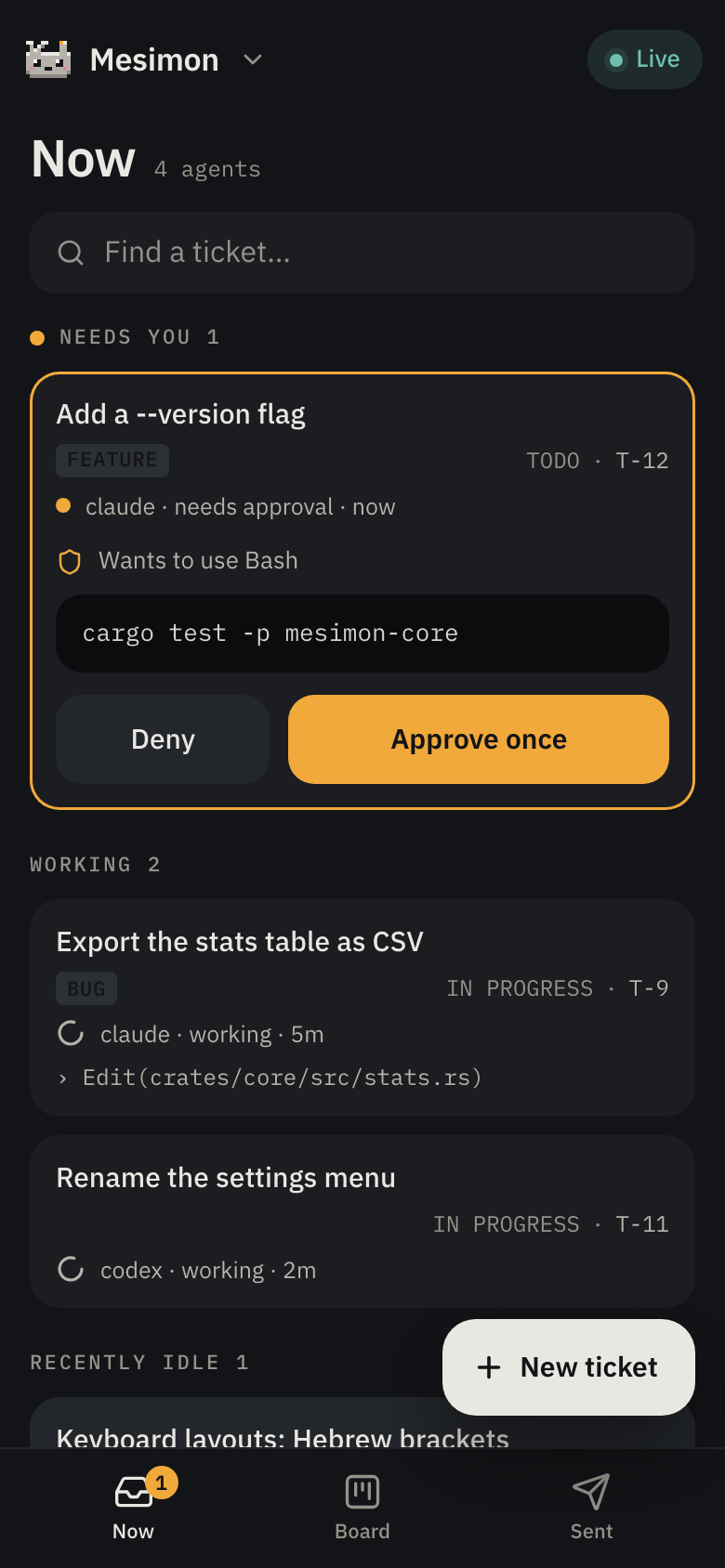
Your agents, from your phone
Your agents keep working at your desk. Your phone shows what each one is doing and lights when one stops for you.
- Answer on the card. A permission, a question with choices, or a plan: tap, and the agent carries on. The card says when the agent took the answer.
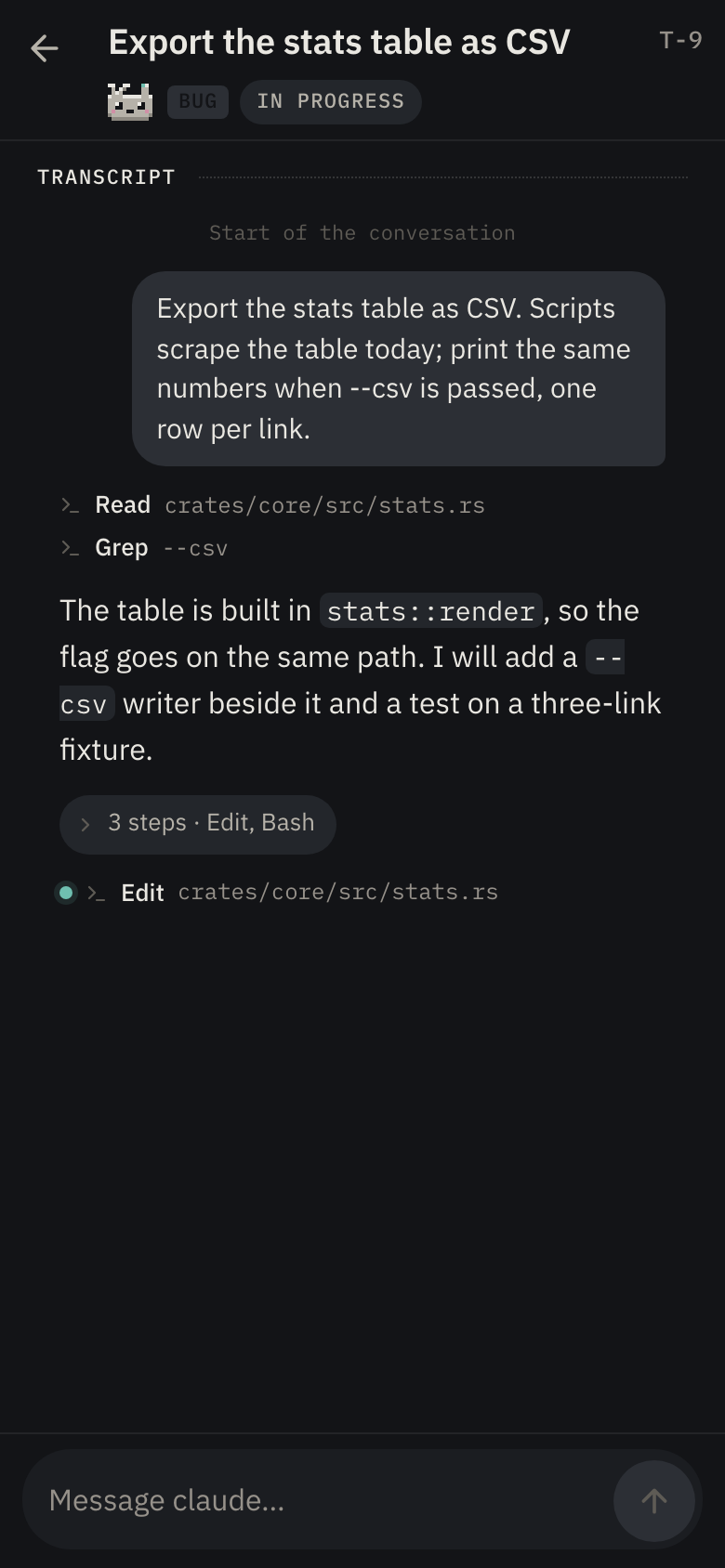
- Read the conversation as it happens, and write back. Send a prompt now, or queue it for the agent's next turn.
- File a ticket from anywhere. If your computer is asleep, the ticket waits and lands when it is back, exactly once.
- Start an agent on a ticket, pick its tier, move it, rename it, tag it, read and edit its notes.
- Pair by scanning a code from the board. Add the page to your home screen and it opens like an app, offline too.
End-to-end encrypted: the service carries your board and your agents' words in a form it cannot read.
Coming soon: board sharing. One board on every teammate's computer, on the same subscription.
Price
One subscription covers one computer. Phones, tablets and browsers are free, as many as you like. Your license key arrives by email the moment you pay, and you can move it to another computer from your Polar customer portal.
Set up in two minutes
- Buy. The license key is in the email Polar sends you, and in your Polar customer portal.
- In mesimon, press Esc, open Remote Control and choose
Sign in. Paste the key in the License key dialog. The relay
field already reads
relay.mesimon.dev:443. - Choose Enable, then Pair a browser, and scan the code with your phone's camera. The page opens paired; add it to your home screen.
Questions
- What counts as a computer?
- One installed mesimon that signs in. A laptop and a desktop are two. Phones and browsers are never counted.
- What happens if I stop paying?
- Nothing is lost. Your board stays on your computer as it always was, your phone keeps its live view, and a ticket it files while your computer is away waits until you subscribe again.
- Who can read my board?
- You, and only you. The board, the notes and your agents' words are encrypted on your computer before they leave it; the service routes them and cannot read them. It stores the encrypted records, which phones belong to which computer, your display name and public keys, and the seat your key holds. A ticket your phone files while your computer is away is deleted after 30 days.
- Does my computer have to stay on?
- Yes. Your agents run there; the phone talks to them through the service. mesimon can keep a Mac awake while agents work: Settings › Keep the machine awake.
- Which agents does the phone answer?
- Claude Code's permissions, questions and plans are answered from the phone. Codex sessions take prompts from the phone and answer their own dialogs at the desk.
- Can my team use it?
- Each person pairs their own phone to their own computer today. Sharing one board between teammates' computers is coming, on this same subscription.
- Is this finished?
- Not yet. mesimon is in beta: used every day, and it still changes under you. If something breaks, write to support@mesimon.dev and it is read.
Terms and privacy
- Seller. Polar Software, Inc. sells the subscription as merchant of record and handles payment, tax and invoices. Its Buyer Terms, refunds included, and its Privacy Policy apply to your purchase.
- Cancelling. Any time, in your Polar customer portal. It takes effect at the end of the period you paid for.
- Removal. To have your computer and its boards removed from the service, write to support@mesimon.dev.
- This site has no analytics and sets no cookies.